What Is a Mod Loader?
Minecraft: Java Edition does not load mods on its own. A mod loader is a small layer that starts before the game, reads the mods folder and connects each mod to the game's code. Forge, Fabric and NeoForge all do this job, but in different ways.
The key point to remember is simple: a mod built for one loader does not work on another. A Forge build of YSM will not run on Fabric, and a Fabric build will not run on NeoForge. This is why YSM is released as separate files for each loader.
Supported Versions at a Glance
For YSM 2.6.5, the available builds are:
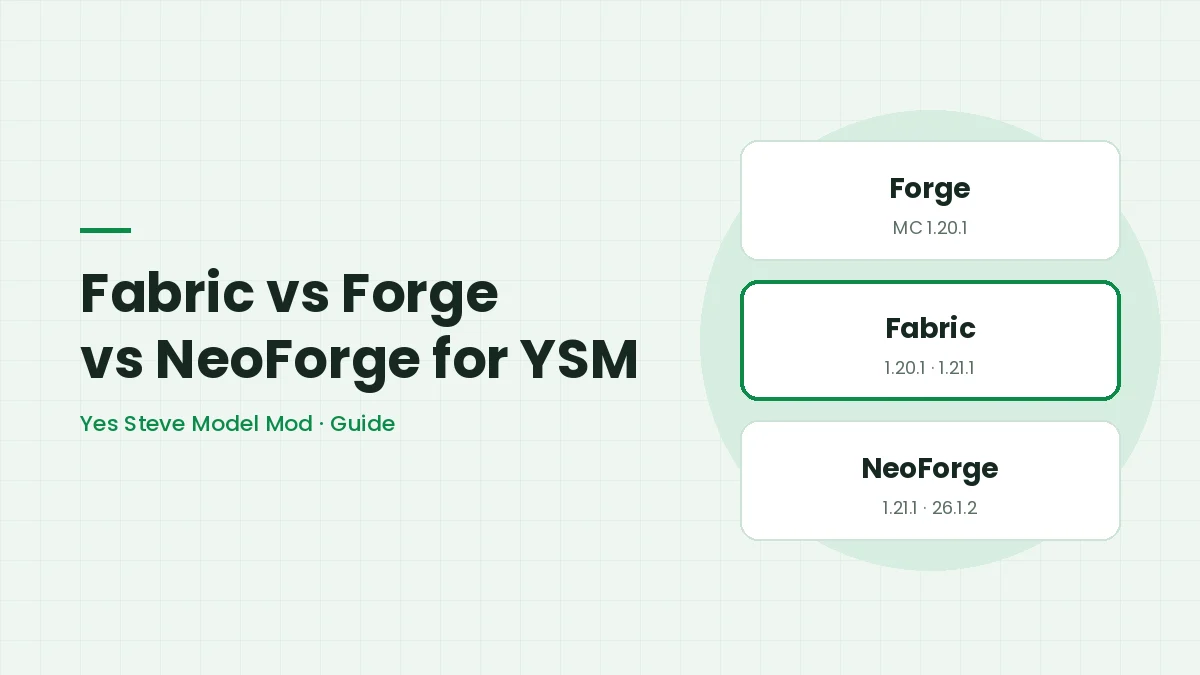
- Forge: Minecraft 1.20.1
- Fabric: Minecraft 1.20.1 and 1.21.1
- NeoForge: Minecraft 1.21.1 and 26.1.2
Older YSM releases also covered versions such as 1.16.5, 1.18.2, 1.19.2 and 1.19.4, but those branches no longer receive the newest fixes. If you can choose freely, stay on a version that the current release supports.
Forge
Forge is the oldest and best-known Minecraft mod loader. For many years, nearly every large mod and modpack was built on it.
Strengths of Forge
- Huge mod library on older versions, especially 1.20.1 and earlier.
- Large modpacks such as tech and adventure packs are often Forge-based on 1.20.1.
- Mature tooling and lots of tutorials, since it has been around the longest.
Weaknesses of Forge
- Slower startup and higher memory use than Fabric in many setups.
- Fewer new versions – many developers moved to NeoForge for newer Minecraft releases.
- YSM support on Forge is currently limited to 1.20.1.
Choose Forge if…
You play on Minecraft 1.20.1 and want to use YSM inside a big Forge modpack, or you rely on mods that only exist for Forge.
Fabric
Fabric is a lightweight loader that focuses on speed and quick updates to new Minecraft versions.
Strengths of Fabric
- Fast startup and low overhead.
- Strong performance mods that can improve frame rate and memory usage.
- Quick updates when new Minecraft versions are released.
- YSM support on both 1.20.1 and 1.21.1.
Weaknesses of Fabric
- Fewer large content mods compared with Forge and NeoForge on some versions.
- Fabric API is required by many Fabric mods, so you must keep it updated.
- Key bindings can conflict more easily when you use many small client mods together.
Choose Fabric if…
You want a light, fast setup built around YSM and a handful of performance or visual mods, or you play on 1.21.1 with mostly client-side mods.
NeoForge
NeoForge started as a fork of Forge in 2023, created by most of the Forge team. On newer Minecraft versions it has become the main home for large content mods.
Strengths of NeoForge
- Modern codebase with active development.
- Many big mods have moved here for 1.21.1 and newer.
- YSM support on 1.21.1 and 26.1.2, the newest builds available.
Weaknesses of NeoForge
- Not compatible with old Forge mods on newer versions; mods must be built for NeoForge specifically.
- Smaller library on older versions, since it only became popular after 1.20.1.
Choose NeoForge if…
You want to play on Minecraft 1.21.1 or newer with large content mods, or you want the latest Minecraft version that YSM supports.
Side-by-Side Comparison
Performance
Fabric usually starts the fastest and uses the least memory in a small setup. Forge and NeoForge are slightly heavier, but in a large modpack the difference comes mostly from the other mods, not the loader. YSM's own performance depends far more on model detail and texture size than on the loader. See our performance tips for details.
Mod compatibility
- On 1.20.1: Forge has the biggest library, Fabric has the best performance mods.
- On 1.21.1: NeoForge has most large content mods, Fabric remains strong for client mods.
- On 26.1.2: NeoForge is the only loader with a current YSM build.
Server use
All three loaders can run a YSM server on Windows or Linux. The server and every client must use the same loader, version and YSM build. Read the server setup guide before you start.
How to Pick the Right YSM Build
Follow this order and you will never download the wrong file:
- Decide on your Minecraft version. Usually your modpack or server decides this for you.
- Decide on your loader. Again, follow the modpack or server if there is one.
- Open the version picker in our download section.
- Select the loader and version. The download button updates to the matching file.
- Read the file name before moving it to
mods, for exampleysm-2.6.5-fabric+mc1.21.1-release.jar.
Common mistakes to avoid
- Downloading a Forge build for a NeoForge profile because the names look similar.
- Putting a 1.20.1 build into a 1.21.1 profile.
- Keeping two YSM files from different loaders in the same
modsfolder. - Installing outdated dependencies such as Forge Config API Port, which YSM has not needed since version 2.2.1.
Real-World Setup Examples
Sometimes it is easier to choose by looking at a typical situation. Here are four common setups and the loader that fits each one best.
A small group of friends on 1.20.1
You want custom models, a few quality-of-life mods and good frame rates on mid-range laptops. Fabric 1.20.1 keeps the setup light, and performance mods help older hardware. Everyone installs the same small profile, and the server runs the same Fabric build.
A big adventure modpack
You already play a large 1.20.1 modpack with dungeons, machines and new dimensions. Check which loader the pack uses. If it is Forge, use the Forge 1.20.1 YSM build. Do not try to add a Fabric build to a Forge pack.
A modern survival server on 1.21.1
Your community wants newer Minecraft features and popular content mods. NeoForge 1.21.1 is usually the best match, since many large mods now release there first.
Trying the newest Minecraft version
You want YSM on the most recent version it supports. Currently, that means NeoForge 26.1.2. Expect fewer companion mods at first, because many projects take time to update.
Can I Switch Loaders Later?
Yes, but you need a new profile. Create a new instance with the other loader, install the matching YSM build and copy your config/yes_steve_model/custom folder over to keep your models. Your custom model files do not depend on the loader, so they work on all three.
Worlds can usually be opened with a different loader on the same Minecraft version, but blocks and items from loader-specific mods may disappear. Always back up a world before switching.
Frequently Asked Questions
Is NeoForge the same as Forge?
No. NeoForge began as a fork of Forge, but on newer versions the two are separate projects and their mods are not interchangeable.
Which loader gives the best FPS with YSM?
Fabric with performance mods is often the lightest option, but the difference is small compared with the effect of heavy models and high-resolution textures.
Do custom models depend on the loader?
No. Models use the same format on all loaders, so you can move your model folder between profiles freely.
Conclusion
There is no single best loader for everyone. Forge suits 1.20.1 modpacks, Fabric suits light and fast setups on 1.20.1 and 1.21.1, and NeoForge suits modern content-heavy play on 1.21.1 and 26.1.2. Pick your Minecraft version and loader first, then download the YSM build that matches both, and you will avoid the most common installation mistake.